By Emily Parker
Updated November 2026
Bosch oscillating tool accessories are the blades, sanding pads, scrapers and grout tools that turn a multi-tool into a flexible cutting and finishing kit. This guide explains how to identify the right accessory for your material, how to confirm it fits your tool, and how to install it so it stays put under load. Once you have these basics, you can switch between cutting, sanding and scraping without guesswork.
Step 1: Confirm Your Tool’s Mounting System
Before buying anything, check how your Bosch multi-tool holds accessories. Most Bosch oscillating tools use a quick-release clamp that accepts universal-style blades with a standard shank, while some models rely on a tool-free lock nut and a specific mounting pin. Your owner’s manual or the Bosch product page lists the compatible system, and the accessory packaging usually names it too. Mismatched systems are the most common reason an accessory won’t seat, so check this first.
Shopping for one? See our guide: 7 Best Milwaukee Tools Circular Saw Models for Jobsite and Home Use (2026).
Step 2: Match the Blade or Pad to the Material
Accessory choice comes down to what you are cutting or finishing. Use this quick reference:
- Wood and wood-based panels: Bi-metal or high-carbon steel plunge blades for general cuts, and wood-specific blades for cleaner edges.
- Metal: Bi-metal or carbide-tipped blades, run at a lower speed to reduce heat and blade wear.
- Drywall and plaster: Carbide-grit or fine-tooth blades that resist clogging.
- Grout and tile: Carbide grout removal blades, which cut out old grout without chipping the tile face.
- Sanding and finishing: Hook-and-loop sanding pads in the grit range you need, with triangular or detail shapes for corners.
- Scraping: Flush-cut or scraper blades for removing old caulk, adhesive or paint from flat surfaces.
Step 3: Install and Secure the Accessory
- Unplug the tool or remove the battery.
- Loosen the clamp or lock nut and fully seat the accessory’s shank or mounting hole.
- Tighten the clamp firmly by hand, then check that the accessory does not rotate or wobble.
- Run the tool briefly at low speed with no load to confirm it oscillates straight.
Manufacturers specify tightening to the clamp design, not with extra force, so stop once the accessory is snug.
Common Mistakes to Avoid
- Using a wood blade on metal, which dulls quickly and can overheat.
- Forcing a plunge cut without first drilling or starting a pilot hole in dense material.
- Leaving sanding pads loaded with dust, which reduces grip and scratches the surface.
- Skipping the tightness check, which can cause an accessory to slip mid-cut.
- Buying accessories by shape alone without confirming the mounting system.
For more on keeping accessories in good shape, see Power Tool Accessory Maintenance Tips: 8 Habits That Extend Life and Power Tool Maintenance: Cleaning, Blades, Bits, Batteries and Storage.
Choosing Accessories for Common Jobs
Pairing accessories with projects is faster than shopping by product name. The table below summarizes typical matches.
| Task | Accessory type | Key consideration |
|---|---|---|
| Flush-cutting trim | Bi-metal plunge blade | Keep the blade flat against the surface |
| Removing grout | Carbide grout blade | Use light pressure to protect tile edges |
| Sanding corners | Triangular sanding pad | Match grit to the stock and finish |
| Cutting metal fasteners | Bi-metal blade | Run slower and let the blade do the work |
If you are still deciding which tool platform suits your work, Oscillating Multi-Tools: Blades, Plunge Cuts and Sanding Attachments covers how these accessories fit into a broader kit.
Recommended Gear
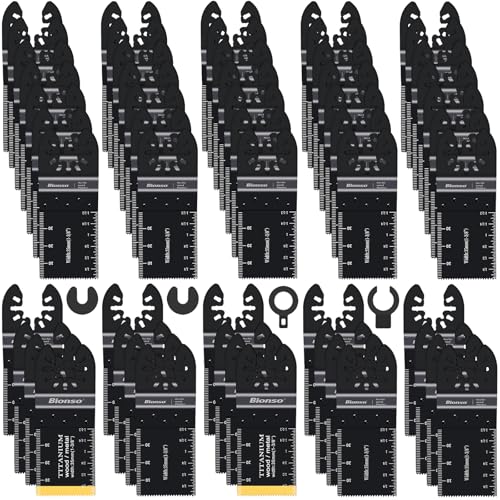
- Bosch oscillating multi-tool blade set: A mixed assortment lets you cover wood, metal and drywall without buying each blade separately. View on Amazon
- Hook-and-loop sanding pad set: Useful for keeping several grits ready so you can move from rough removal to finish sanding quickly. View on Amazon
- Carbide grout removal blade: Designed for the specific job of cutting out grout between tiles, where standard blades tend to wear quickly. View on Amazon
FAQ
Are all oscillating multi-tool accessories compatible with Bosch tools?
No. Bosch uses specific mounting systems, and accessories from other brands may use a different shank or clamp design. Check the mounting type on the packaging before buying.
How do I know which grit sanding pad to use?
Start coarser for removing old finish or rough material, then step to finer grits for smoothing. Manufacturers generally recommend working through grits in sequence rather than jumping straight to fine.
Can I use a metal-cutting blade on wood?
You can, but wood-specific blades usually cut faster and cleaner in wood. Metal blades are designed for different tooth geometry, so using them on wood may leave rougher edges.
Conclusion
Start with your tool’s mounting system, then match each bosch oscillating tool accessory to the material and task in front of you. A correct fit and a secure install prevent most problems. For material-specific technique, consult the manufacturer’s guidance and, for structural or electrical work, a qualified professional.
Related reading
- How to Make Plunge Cuts with an Oscillating Multi-Tool
- Best Oscillating Multi-Tools for Plunge Cuts and Sanding
Ready to choose one?
About Emily Parker
Emily Parker is part of our editorial team and reviews and edits our power tools guides, checking product details against manufacturer specifications and owner feedback.